

Opensource UI
Free MIT-licensed copy-paste library of 150+ production-ready React and Next.js components built with TypeScript and Tailwind CSS v4.

Dhanji Bhagat
Founder, Emiote
Fully hosted platform. Automated backups and SLA.
Tailwind UI $299 one-time; UI8 / Envato $200 to $400/yr; Cruip $79 to $199
Private compute. Zero seat taxes; team runs ops.
$0 (MIT license, copy-paste into existing React / Next.js codebase)
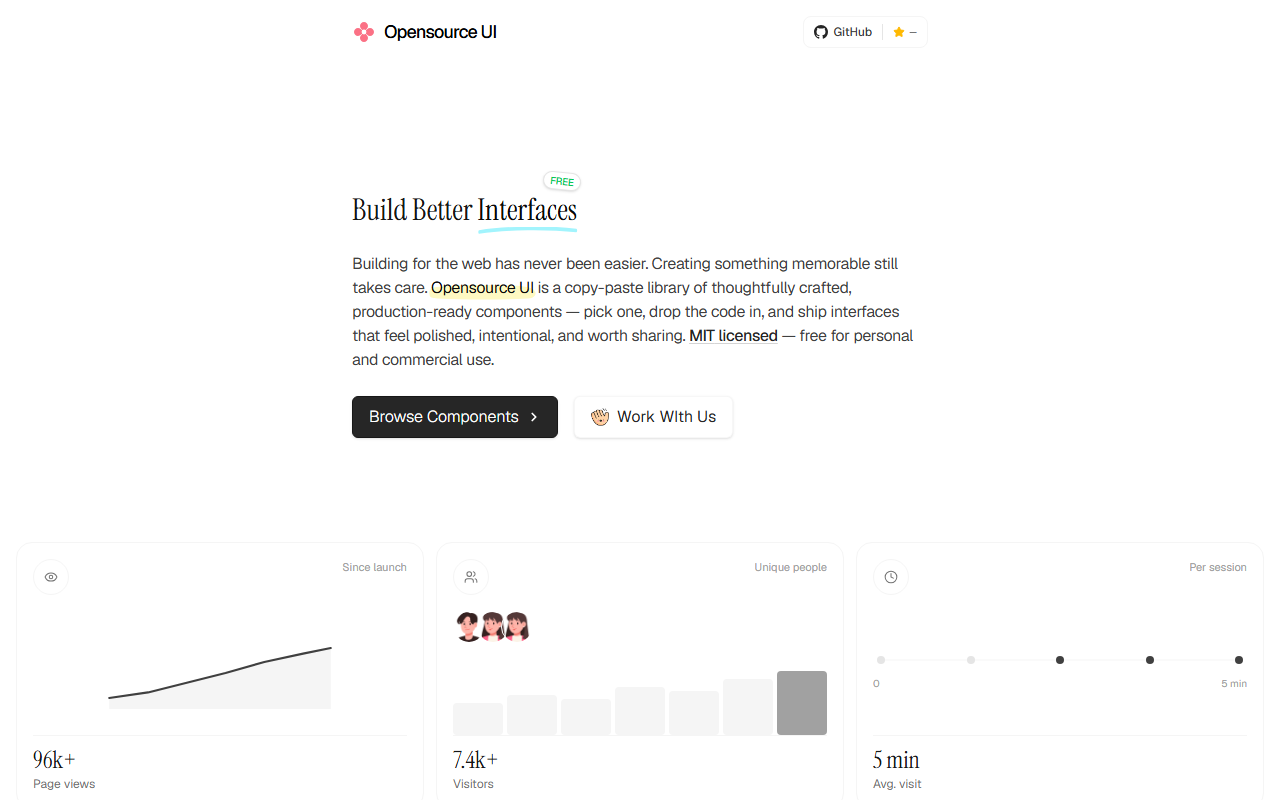
Opensource UI is a free, MIT-licensed copy-paste library of over 150 production-ready React and Next.js components created by Bidyut Kundu on GitHub as an alternative to paid UI kits. Built with React 19, Next.js 16, TypeScript, and Tailwind CSS v4, it provides self-contained components with zero runtime package dependencies or provider wrappers.
What It Replaces
Building polished modern web interfaces usually forces frontend teams into commercial paywalls or runtime bloat:
- Commercial Component Paywalls: Purchasing proprietary component packs like Tailwind UI ($299 one-time), Cruip ($79 to $199), or UI8 ($200 to $400/yr) where source code is locked behind individual licenses.
- Heavy Runtime Libraries: Importing monolithic packages like Material UI or Ant Design that add 250KB to 600KB of runtime JavaScript, inject runtime CSS stylesheets, and require nested provider wrappers.
- Complex Registry CLI Overhead: Configuring multi-step CLI generators, managing Radix UI primitive sub-dependencies, and decoding token maps just to render an audio widget or device frame.
Opensource UI strips away the indirection:
- Zero Package Dependencies: No component runtime packages. Plain React 19, standard HTML element props, and Tailwind CSS v4 classes.
- Self-Contained Files: Every component lives in its own standalone
.tsxfile with typed props. - Craft-Focused Widgets: Beyond basic buttons, it provides realistic phone mockups with camera cutouts, interactive clocks, and audio player cards.
Architecture
Opensource UI relies on a direct copy-paste architecture that compiles entirely at build time, eliminating runtime library overhead:
flowchart TD
  subgraph Source["1. Component Source (Opensource UI)"]
    Cat["Component Catalog (opensourceui.in)"] --> Code[".tsx Component File"]
  end

  subgraph Consumer["2. Consumer Application (Next.js 16)"]
    Code -->|Direct Copy-Paste| UI["components/ui/*.tsx"]
    Helper["lib/utils.ts (cn helper)"] --> UI
    Tailwind["Tailwind CSS v4 Engine"] --> UI
  end

  subgraph Runtime["3. Production Output"]
    UI -->|Static Props| RSC["React Server Component (0 KB Client JS)"]
    UI -->|Interactive Hooks| Client["Client Boundary ('use client')"]
  end

  classDef source fill:#f8fafc,stroke:#94a3b8,color:#0f172a
  classDef consumer fill:#f1f5f9,stroke:#64748b,color:#0f172a
  classDef runtime fill:#ff4500,stroke:#ea580c,color:#ffffff

  class Cat,Code source
  class UI,Helper,Tailwind consumer
  class RSC,Client runtime
Technical Implementation Patterns
- Standardized
cn()Helper: Usesclsxandtailwind-mergeto allow consumers to safely override classes without CSS specificity conflicts. - HTML Element Extension: Interactive components extend native HTML interfaces (such as
React.HTMLAttributes<HTMLDivElement>) and forward DOM refs viaReact.forwardRef. - Client Boundary Discipline: Components render as static React Server Components by default, declaring
"use client"only when local state (active tab, audio playback, timer interval) requires browser lifecycle hooks.
Visual Tour / Workflow
The component workflow focuses on speed of integration and visual precision:
- Browse and Inspect: Developers navigate the live catalog at
opensourceui.in, test component interactions across light and dark modes, and inspect responsive breakpoints. - Copy Single File: The developer copies the standalone TypeScript code directly from the browser preview.
- Local Customization: The
.tsxfile is dropped intocomponents/ui/where design tokens, animations, and Tailwind classes can be modified directly without fighting third-party style encapsulation.
Total Cost of Ownership (TCO)
| Dimension | Commercial UI Packs (Tailwind UI / UI8) | Monolithic UI Kits (MUI / Chakra) | Opensource UI (Self-Hosted OSS) |
|---|---|---|---|
| Upfront License | $299 (Tailwind UI) / $39/mo (UI8) | $0 to $3,000+ (MUI X Enterprise) | $0 (MIT Open Source) |
| Runtime Bundle Size | Minimal (Tailwind classes) | Heavy (+250KB to 600KB JS/CSS) | 0 KB added runtime |
| Provider Wrappers | None | Required (<ThemeProvider>) | None (Drop-in JSX) |
| Component Customization | Edit raw JSX | Theme tokens / sx props | Direct Tailwind v4 classes |
| Icon Dependencies | Lucide / Heroicons package | @mui/icons-material (10MB+) | Native SVG components |
| Total Annualized Cost | $299 to $500+ / yr | $0 to $3,000+ / yr | $0 / yr |
The Bad
While Opensource UI eliminates license fees and bundle bloat, teams should evaluate these operational considerations:
- Downstream Maintenance and Ownership: Because you copy code directly into your repository rather than consuming an npm package, bug fixes do not arrive via
pnpm update. Your team owns the component lifecycle. - Keyboard Navigation and Deep Accessibility: Unlike headless primitive suites (such as Radix UI or React Aria), complex compound patterns (multi-level dropdowns or modal focus traps) may require manual ARIA verification for strict accessibility compliance.
- Framework Lock-In: The components are engineered specifically for React and Next.js with Tailwind CSS v4. Teams building on Svelte, Vue, or vanilla CSS will need to convert JSX and hooks into their respective template syntaxes.
Quickstart / Deployment
Step 1: Install Utility Dependencies
pnpm add clsx tailwind-mergeStep 2: Configure the cn() Helper
// lib/utils.ts
import { clsx, type ClassValue } from "clsx";
import { twMerge } from "tailwind-merge";

export function cn(...inputs: ClassValue[]) {
  return twMerge(clsx(inputs));
}
Step 3: Copy and Paste Components
Browse the catalog at opensourceui.in/components, copy the component source code, and save it directly into your project’s components/ui/ folder.
Recommendation
Opensource UI is ideal for early-stage products, marketing sites, and MVP prototypes that need high-craft visual widgets without the bundle bloat of component frameworks or the license cost of commercial kits.
For large enterprise applications with strict accessibility compliance audits (WCAG AAA) or complex data tables, pair Opensource UI with headless primitives like Radix UI or React Aria. Use Opensource UI for marketing surfaces and device mockups, and headless primitives for complex transactional forms.
Studio Reframe Evaluation
If your engineering team is modernizing its design system, migrating to Tailwind CSS v4, or evaluating copy-paste component architectures vs headless UI libraries, book an Emiote Stack Review ($199 USD). We audit frontend bundle performance, component composability, design token consistency, and rendering waterfalls.
Need help evaluating UI component architectures or Tailwind CSS v4 migrations?
Reframe ($199) evaluates your frontend UI stack: Opensource UI vs Tailwind UI vs Shadcn/Radix. We audit client bundle overhead, runtime CSS performance, and design token maintainability. Diagnosis only.
Fixed $199 fee · 100% vendor-neutral review · 3-day delivery guarantee