

Maestro
Mobile-dev's open-source declarative mobile UI testing framework using dadb and XCTest to drive Android, iOS, and web without flakiness.

Dhanji Bhagat
Founder, Emiote
Fully hosted platform. Automated backups and SLA.
Maestro Cloud from $250/device/month (parallel hosted Android, iOS, web)
Private compute. Zero seat taxes; team runs ops.
$0 local CLI / emulator; CI runner compute (Mac/Linux instances) owned by you
Maestro is an open-source, declarative mobile UI testing framework from mobile.dev that automates Android, iOS, and web applications through human-readable YAML flows. It replaces compiled test suites and fragile driver servers by interacting directly with the native operating system accessibility tree via dadb and XCTest, delivering resilient cross-platform testing with native Model Context Protocol support for AI coding agents.
Scope and currency
This is an architecture evaluation, not an enterprise device-farm deployment diary. In September 2026 we reviewed the official Maestro GitHub repository, source architecture (dadb, maestro-client, iOS runner), the official documentation, the Maestro MCP Server specification, and published Maestro Cloud pricing tiers. We evaluated Maestro across local Android emulators, iOS simulators, and Claude Code agent workflows. Release binaries, driver hooks, and cloud concurrency plans evolve; verify current specifications before committing your mobile release pipeline. Editorial review: 2026-09-04.
What it is
Maestro is an open-source (Apache 2.0) cross-platform mobile automation engine engineered by mobile.dev. Instead of forcing engineering teams to write imperative test code in Swift, Kotlin, Java, or JavaScript—or wrestle with brittle Selenium-based mobile bridges—Maestro treats mobile applications as black-box state machines driven by interpreted YAML declarations called Flows.
A standard Maestro Flow defines user intent in plain syntax:
appId: com.example.notes
---
- launchApp
- tapOn: "Create New Note"
- inputText: "Release Architecture"
- tapOn: "Save"
- assertVisible: "Release Architecture"
Under the hood, Maestro operates at arm’s length from the app binary:
- No SDK instrumentation required — You run tests against release, staging, or debug APKs, IPAs, or simulators without adding test libraries or test harnesses into your production code.
- Accessibility-first targeting — It queries the operating system’s native accessibility hierarchy (AccessibilityNodeInfo on Android, AXUIElement on iOS) rather than internal component trees or pixel coordinates.
- Smart waiting by default — It automatically retries interactions and waits for UI animations, network updates, and layout shifts to settle, eliminating arbitrary
Thread.sleep(5000)statements that plague legacy mobile suites. - Native MCP Server integration — Bundles a local Model Context Protocol server (
maestro mcp) that lets AI coding agents (Claude Code, Codex, Cursor, Gemini) inspect the active view hierarchy, author tests, and verify mobile features autonomously.
Visual tour: The Maestro workflow
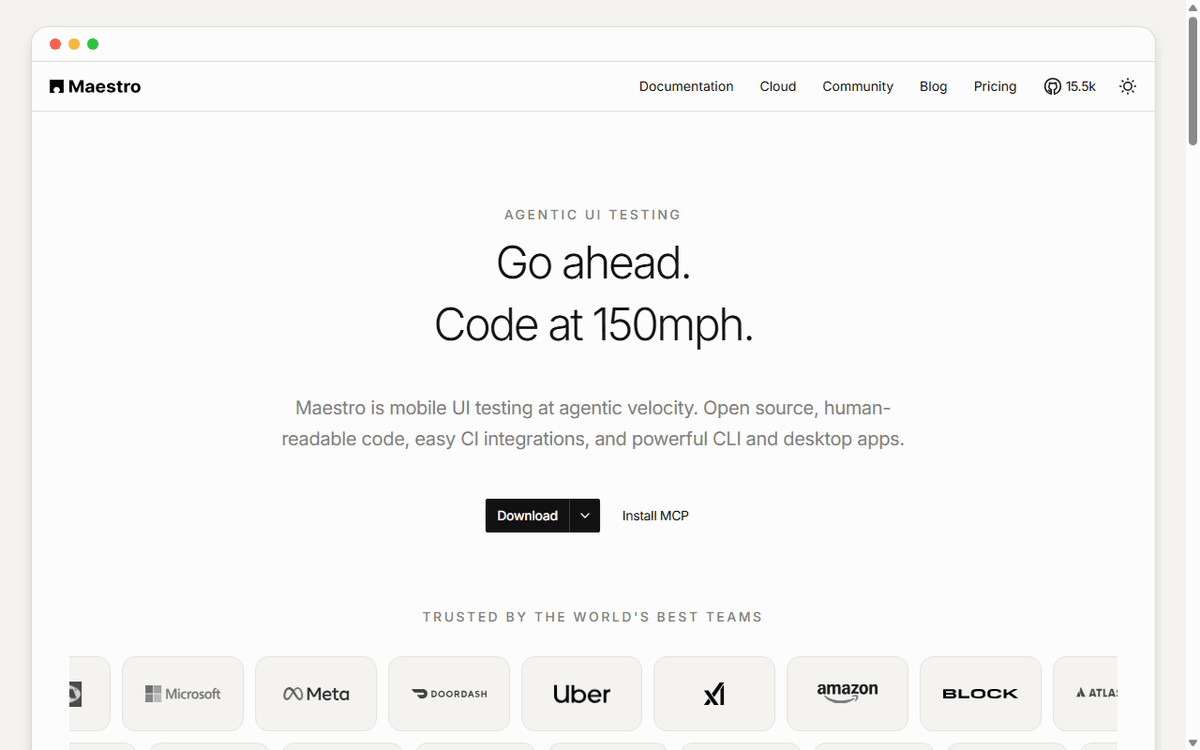
The Maestro workflow: declarative YAML flows running across Android, iOS, and web surfaces.
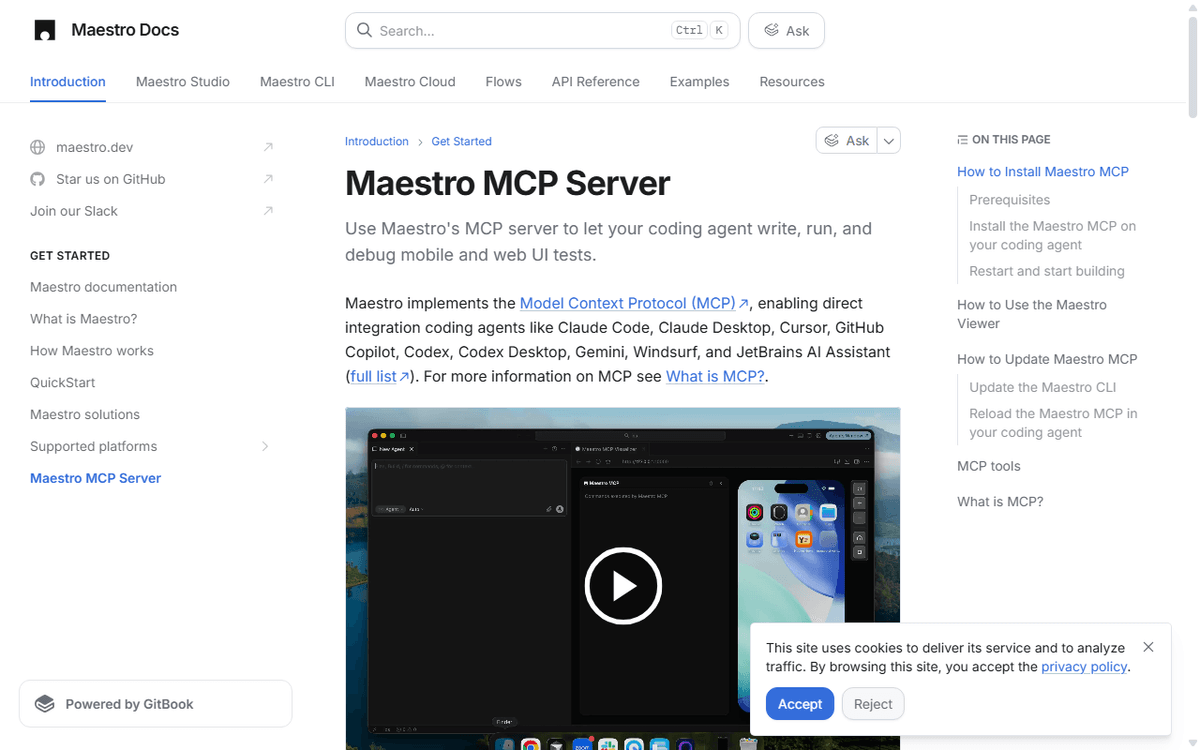
Maestro MCP enables AI coding agents to query device view hierarchies and assert UI state in real time.
What it replaces & why it matters
Mobile end-to-end testing has historically suffered the highest maintenance burden and lowest ROI in software engineering. Teams typically abandon mobile UI test suites within 12 months because of three structural problems:
| Legacy Tooling | Core Architectural Failure | How Maestro Fixes It |
|---|---|---|
| Appium / Selenium | Heavy HTTP/JSON-Wire server process between runner and device; frequent server crashes and session disconnects. | Replaced by single local CLI binary and dadb direct socket protocol; zero standalone server daemons. |
| Detox | Requires white-box synchronization hooks compiled into the React Native app binary; breaks during major RN or React Native New Architecture upgrades. | Pure black-box testing from the outside; operates via OS accessibility tree regardless of React Native, Flutter, or native Swift/Kotlin. |
| Espresso & XCUITest | Platform-siloed codebases (Kotlin vs Swift); requires full app compilation before running; duplicates test suites across platforms. | Unified YAML flow syntax runs identically on iOS simulators, Android emulators, and web Chromium instances. |
Architecture & tech stack review
Maestro is implemented as a modern JVM/Kotlin monorepo designed around clean protocol abstractions and zero-compilation execution.
flowchart TD
    subgraph Authoring["1. Test Authoring & Agents"]
        Agent["AI Coding Agent<br/>(Claude Code / Cursor / Codex)"]
        Human["Developer / QA<br/>(Maestro Studio / YAML)"]
    end

    subgraph Core["2. Maestro Orchestration Core"]
        MCP["Maestro MCP Server<br/>(stdio / JSON-RPC)"]
        CLI["Maestro CLI Engine<br/>(Interpreted YAML Runner)"]
        SmartWait["Smart Waiting & Tolerance<br/>(Element Polling / Auto-retry)"]
    end

    subgraph Bridges["3. Platform Driver Bridges"]
        DADB["dadb Bridge<br/>(Kotlin Direct Socket to ADB)"]
        XCTest["xcrun simctl & XCUITest Bridge<br/>(Native Driver Process)"]
        Playwright["Chromium Web Driver<br/>(DevTools Protocol)"]
    end

    subgraph Targets["4. Execution Surface"]
        AndroidTarget["Android Device / Emulator<br/>(Accessibility Node Hierarchy)"]
        iOSTarget["iOS Device / Simulator<br/>(AXUIElement Accessibility Tree)"]
        WebTarget["Web Browser App<br/>(DOM & Accessibility)"]
    end

    Agent -->|Tools: run / inspect_screen| MCP
    Human -->|maestro test flow.yaml| CLI
    MCP --> CLI
    CLI --> SmartWait
    SmartWait --> DADB
    SmartWait --> XCTest
    SmartWait --> Playwright
    DADB -->|TCP socket / no adb server| AndroidTarget
    XCTest -->|XCTest commands| iOSTarget
    Playwright -->|CDP| WebTarget
The Android engine: dadb
Traditional Android automation communicates through the standard adb client-server architecture (adb client -> adb server daemon -> adbd on device). In CI environments running parallel tests, the host ADB server process frequently hangs, drops socket connections, or deadlocks on port allocations.
To eliminate this failure mode, the mobile.dev team authored dadb (Direct ADB): a pure Kotlin implementation of the ADB communication protocol. Maestro connects directly to the Android device or emulator over raw TCP sockets (localhost:5555). By bypassing the desktop ADB server binary entirely, Maestro achieves deterministic connection lifecycle management and vastly lower connection latency in CI pipelines.
The iOS engine: xcrun simctl + XCTest runner bridge
iOS simulator automation operates through Apple’s native toolchain. Maestro orchestrates app lifecycle events (install, launch, terminate, erase) via xcrun simctl sub-processes. To inspect the iOS accessibility tree and dispatch touch and gesture events, Maestro launches a lightweight, pre-built background XCTest runner process that hooks into Apple’s private XCUIDevice and XCUIApplication accessibility APIs.
The UI abstraction: Accessibility tree, not DOM
Because Maestro targets native applications built in UIKit, SwiftUI, Jetpack Compose, React Native, and Flutter, it does not rely on a document object model (DOM). Instead, it queries the operating system accessibility layer:
- On Android, it parses the active window’s
AccessibilityNodeInfotree. - On iOS, it traverses
AXUIElementnodes.
This design gives Maestro two massive advantages:
- Framework neutrality: It does not care whether an element was rendered by React Native’s Yoga layout engine, Flutter’s Skia/Impeller canvas, or native Swift. If an element is accessible to a human user or screen reader, Maestro can see it, tap it, and assert its value.
- Accessibility enforcement by design: If a button or input cannot be located by text or accessibility label, your app is broken for disabled users. Maestro tests naturally act as an automated accessibility audit.
The agentic closed-loop: Maestro MCP
The most consequential evolution in Maestro is its native Model Context Protocol (MCP) implementation. By running maestro mcp, Maestro exposes its entire device introspection and execution engine to AI coding assistants over stdio.
sequenceDiagram
    autonumber
    actor Dev as Developer
    participant Agent as Claude Code / Codex
    participant MCP as Maestro MCP Server
    participant Device as iOS Simulator / Android Emulator

    Dev->>Agent: "Build login screen and verify with Maestro"
    Agent->>Agent: Generate UI code in React Native / Flutter
    Agent->>MCP: Call inspect_screen
    MCP->>Device: Dump accessibility hierarchy
    Device-->>MCP: Return JSON view tree
    MCP-->>Agent: Compact element list (buttons, inputs)
    Agent->>Agent: Reason on screen state & draft test flow
    Agent->>MCP: Call run with inline YAML flow
    MCP->>Device: Execute tapOn(Email) & inputText(...)
    MCP->>Device: Execute tapOn(Submit) & assertVisible(Home)
    Device-->>MCP: Flow assertion passed
    MCP-->>Agent: Test status: SUCCESS
    Agent->>Dev: "Feature built and verified against live simulator"
Exposed MCP tools
| Tool | Purpose in the Agent Loop |
|---|---|
list_devices | Discovers available local emulators, simulators, and web browsers. |
inspect_screen | Dumps the active device screen hierarchy as compact, LLM-token-efficient JSON. The agent calls this to understand what is on screen before acting. |
take_screenshot | Captures the active visual frame for multimodal vision models to verify visual styling or resolve ambiguous buttons. |
run | Executes inline YAML flow commands (yaml: "- tapOn: Submit") or flow files with instant validation and error diagnostics. |
cheat_sheet | Provides Maestro flow syntax and assertions directly into the agent’s context window. |
open_maestro_viewer | Opens an interactive web stream showing the live simulator and active command trace. |
list_cloud_devices | Enumerates hosted cloud device models and OS versions. |
run_on_cloud | Submits local flow suites to Maestro Cloud for distributed parallel execution. |
This closes the development feedback loop: an AI agent writing mobile code no longer has to guess whether a button rendered correctly or wait for a human developer to manually click through an emulator.
Cost breakdown: TCO review
Maestro is open-source under Apache 2.0. The CLI, Studio, Viewer, and MCP server are free to run locally and in your self-hosted CI pipelines. The commercial tier is Maestro Cloud, a purpose-built hosted device cloud for parallel test execution.
| Dimension | Maestro Local / OSS | Maestro Cloud (Managed) | Legacy Farms (BrowserStack / Sauce) |
|---|---|---|---|
| Software License | $0 (Apache 2.0) | Included in device subscription | $0 for Appium runner; closed platform |
| Device Execution | Self-hosted emulators / simulators | Dedicated cloud devices (iOS, Android, Web) | Shared cloud device VMs |
| Monthly Pricing | $0 software fee | $250 / concurrent device / mo | ~$199 – $399+ / concurrent session / mo |
| Annual Baseline | $0 software fee | $3,000 / device / yr | ~$2,388 – $4,788+ / session / yr |
| CI Compute Burden | High (macOS runners cost 10x Linux runners) | Minimal (triggers via API/CLI; execution offloaded) | Low (offloaded to vendor grid) |
| Flakiness Overhead | Low (smart waiting, direct socket) | Lowest (parallel runs on clean instances) | High (Appium proxy latency, session timeouts) |
| Ops Responsibility | You manage emulators, Xcode, and CI agents | Managed by mobile.dev | Managed by vendor |
The hidden cost of self-hosting iOS CI
While Maestro itself is free, teams automating iOS locally in CI face a steep infrastructure tax: macOS runners.
On GitHub Actions, standard Linux runners cost ~$0.008/minute, while Apple Silicon macOS runners cost ~$0.08/minute—a 10x multiplier. Running a 30-minute end-to-end regression suite across 20 pull requests daily costs:
20 PRs × 30 min × $0.08/min = $48/day ≈ $1,056/monthThis economic reality makes Maestro Cloud ($250/device/month with unlimited runs per concurrent device) or dedicated in-house Mac mini hardware clusters significantly more economical for mid-sized engineering teams than spinning up ephemeral cloud macOS VMs for sequential test runs.
The Good
- Single cross-platform syntax: The same
.yamlfile drives Android and iOS flows with zero platform-specific if/else boilerplate. - Zero SDK binary pollution: Works directly on release
.ipaand.apkproduction builds without modifying application source code or build flavors. - Deterministic socket communication: Direct Kotlin
dadbsocket architecture eliminates the persistent ADB server hang-ups that plague Android CI pipelines. - First-class AI agent integration: The bundled
maestro mcpserver turns Claude Code, Cursor, and Codex into fully autonomous mobile engineers. - Fast execution: Flows are interpreted on the fly without waiting for a compilation step. Updating a test takes seconds, not minutes.
- Built-in flakiness tolerance: Smart waiting, automatic retries, and scroll-to-view heuristics dramatically reduce false-positive test failures.
The Bad — what to know before adopting
- Strict black-box boundary: Maestro cannot inspect private Swift/Kotlin variables, mock internal database states, or assert in-memory method invocations. If your testing strategy relies on white-box dependency injection, you will still need unit tests (JUnit / XCTest).
- Complex multi-touch gesture limits: While tap, double-tap, long-press, scroll, swipe, and basic pinch are supported, intricate multi-finger custom gestures (such as CAD rotation or multi-finger drawing surfaces) are difficult or impossible to express cleanly in declarative YAML.
- Hybrid WebView inspection depth: While Maestro can interact with elements inside WebViews that expose accessibility properties, it does not provide deep DOM inspection or network mocking parity with pure-web runners like Playwright.
- Host runtime dependency: Maestro requires Java 17 or higher installed on the host machine. In lightweight containerized pipelines, you must ensure a JDK runtime is provisioned alongside the Android SDK.
- macOS requirement for iOS simulation: Running iOS tests locally or in CI requires macOS with Xcode installed. There is no headless Linux path for native iOS simulation without offloading to Maestro Cloud or remote macOS hardware.
When to use / When to skip
Use Maestro if:
- You build mobile applications with React Native, Flutter, native Swift/Kotlin, or Expo and need fast, repeatable smoke and regression flows.
- You are tired of spending 20 hours a week fixing flaky Appium or Detox tests that break when timing shifts.
- You want QA engineers, product managers, or founders to read, write, and audit test flows without knowing Swift or Kotlin.
- You are implementing agentic development workflows using Claude Code, Codex, or Cursor and need your agent to test what it builds on a live device.
- You want to test release builds identical to what ships to the Apple App Store and Google Play Store.
Skip Maestro if:
- You only build web applications. Stay on Playwright—it provides superior network interception, DOM tracing, and browser engine control.
- You need deep white-box unit testing of private classes or in-memory state mocks. Use native XCTest / Espresso.
- Your application relies on complex gaming physics, custom 3D engines (Unity/Unreal), or non-accessible custom-drawn canvas controls that do not expose accessibility metadata.
- Your team lacks access to macOS infrastructure for iOS testing and has zero budget for Maestro Cloud.
ReframeHub insight: Why declarative accessibility wins
The deeper engineering lesson of Maestro is the power of choosing the right abstraction boundary.
For a decade, mobile test automation tried to emulate web testing: inspect the internal view hierarchy, extract proprietary component identifiers, and send imperative commands through a client-server socket driver. Every framework update broke the bridge.
Maestro succeeded by recognizing that the accessibility tree is the universal contract of mobile user interfaces. Operating systems have invested decades of engineering into making accessibility trees stable, resilient, and synchronized with the render thread so that screen readers never lose context.
By aligning its testing model with the OS accessibility contract and exposing that model via declarative YAML and the Model Context Protocol, Maestro transformed mobile testing from an operational tax into a deterministic foundation for high-velocity software engineering.
Quickstart & deployment
1. Install Maestro CLI
On macOS and Linux:
curl -FsSL "https://get.maestro.dev" | bashOn Windows:
powershell -Command "Invoke-WebRequest -Uri 'https://get.maestro.dev/win' -OutFile 'install.ps1'; .\install.ps1"Verify installation:
maestro --versionPrerequisite: Java 17+ must be available on your PATH.
2. Run your first Flow
Create flow_login.yaml:
appId: com.example.app
---
- launchApp
- tapOn: "Log in"
- inputText: "engineer@emiote.com"
- tapOn: "Password"
- inputText: "supersecret123"
- tapOn: "Continue"
- assertVisible: "Dashboard"
Run the flow against an active simulator or emulator:
maestro test flow_login.yaml3. Connect to Claude Code or your AI Agent (MCP)
Add Maestro MCP to Claude Code:
claude mcp add maestro -- maestro mcpOr configure manually in claude_desktop_config.json or Cursor mcp.json:
{
  "mcpServers": {
    "maestro": {
      "command": "maestro",
      "args": ["mcp"]
    }
  }
}
Once connected, ask your agent:
“Inspect the current emulator screen, write a Maestro flow to verify the onboarding carousel, and run it.”
Need help evaluating mobile E2E automation or device cloud sprawl?
Reframe ($199) evaluates your mobile QA and CI stack—Maestro vs Appium/Detox vs Maestro Cloud ($250/mo)—auditing test flakiness, macOS CI compute multipliers, and AI agent testing readiness. Diagnosis only.
Fixed $199 fee · 100% vendor-neutral review · 3-day delivery guarantee